02Run projectsLPH 1–9
Kernmoment in every HOAI work stage
Kernmoment Continuum takes your practice through every HOAI work stage – in step with your specialist software, with a source for every result.
At a glance
What Kernmoment takes on during the project
During a project the work is spread across many tools: CAD and BIM for design, cost software for bills of quantities, spreadsheets for costs and capacity, emails and minutes for coordination. When a requirement changes, someone has to track by hand what it affects – and that does not always work.
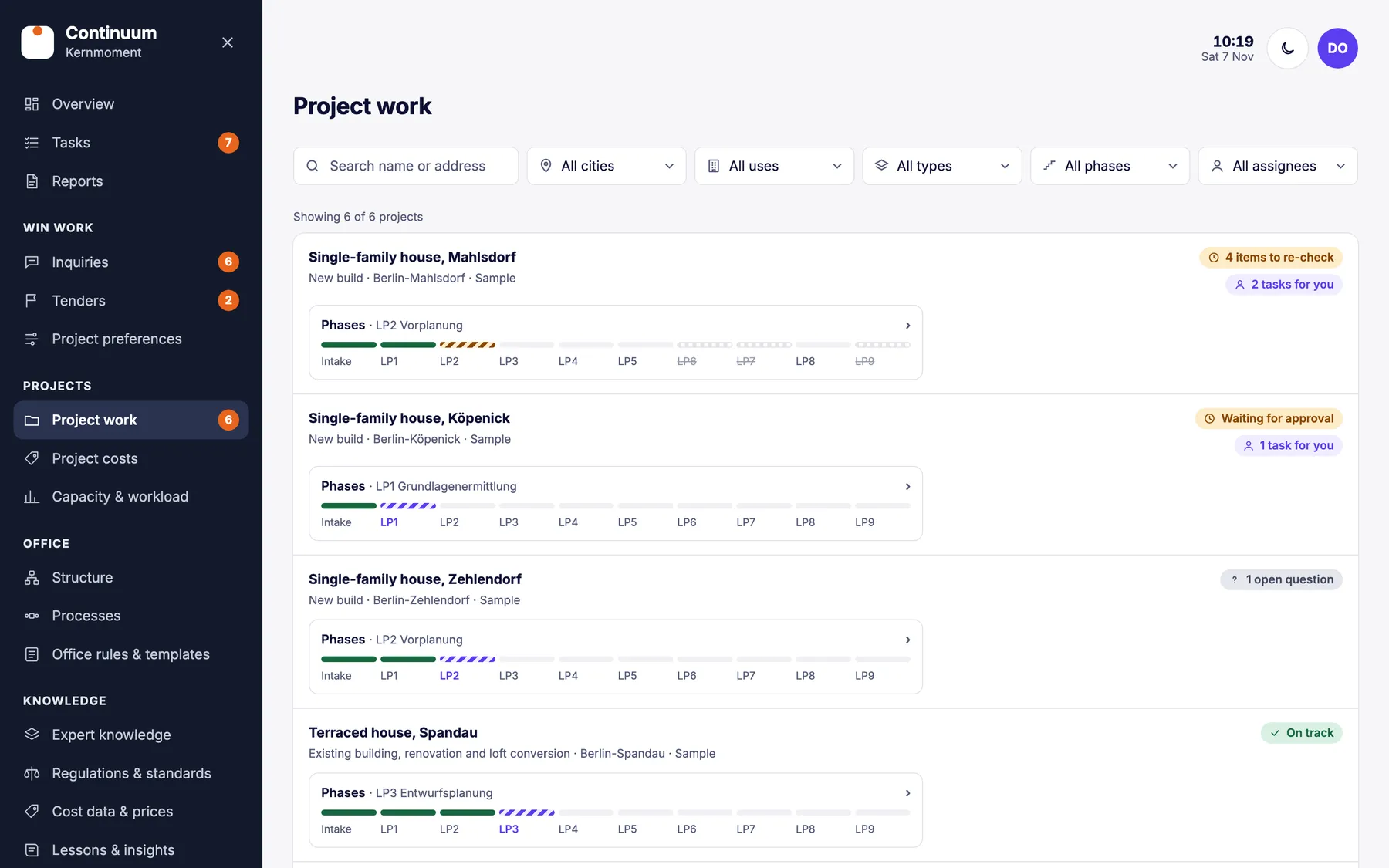
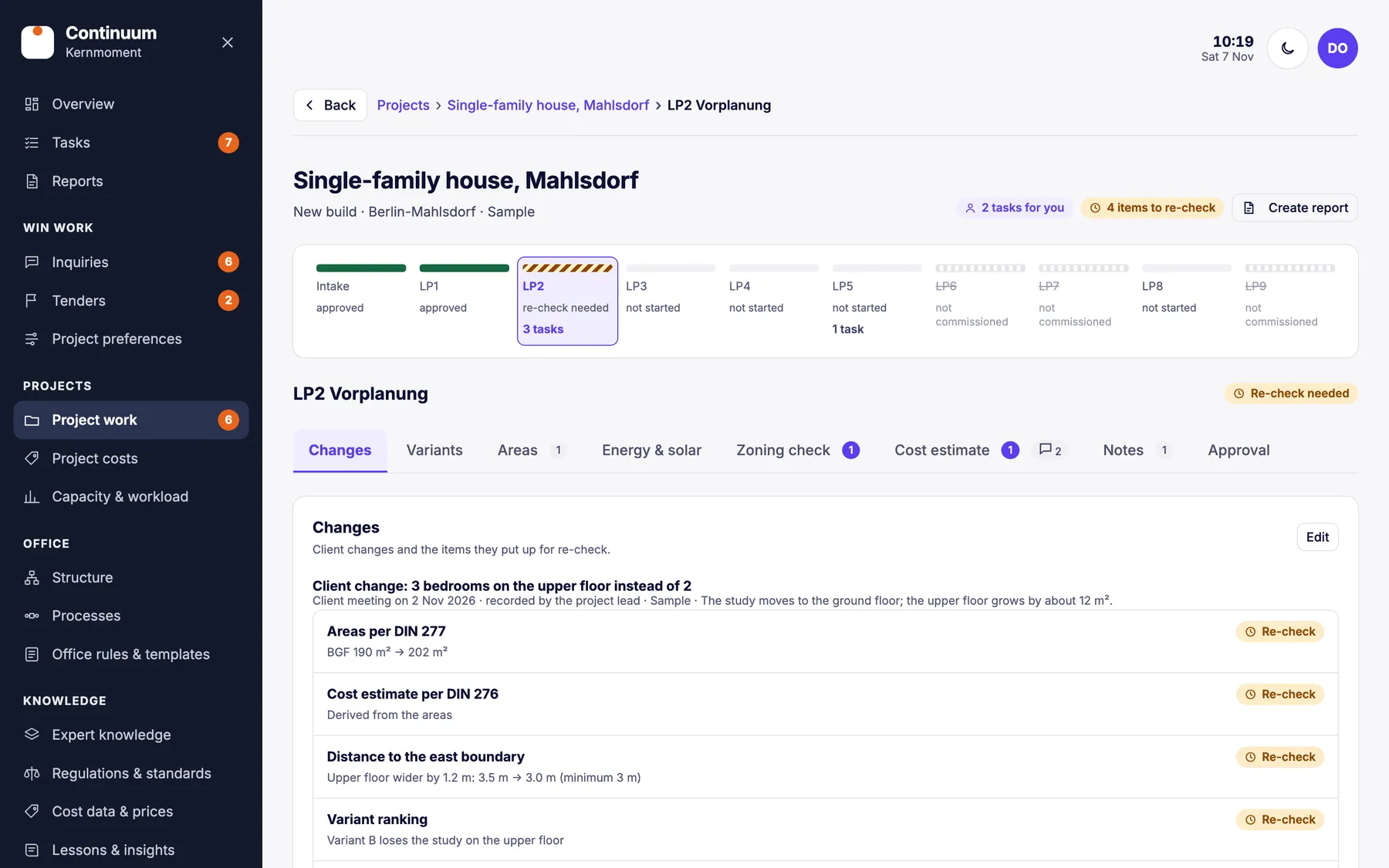
Kernmoment Continuum holds every project with its work stages, approvals and drawing issues in one place and works with the data from your specialist software. When a change comes in – a client wish, late input from a consultant – the AI reads the values from email, PDF or drawing, your team confirms them, and fixed rules compute what is affected: areas, costs, distances, standards. The confirmed model stays unchanged until you approve.
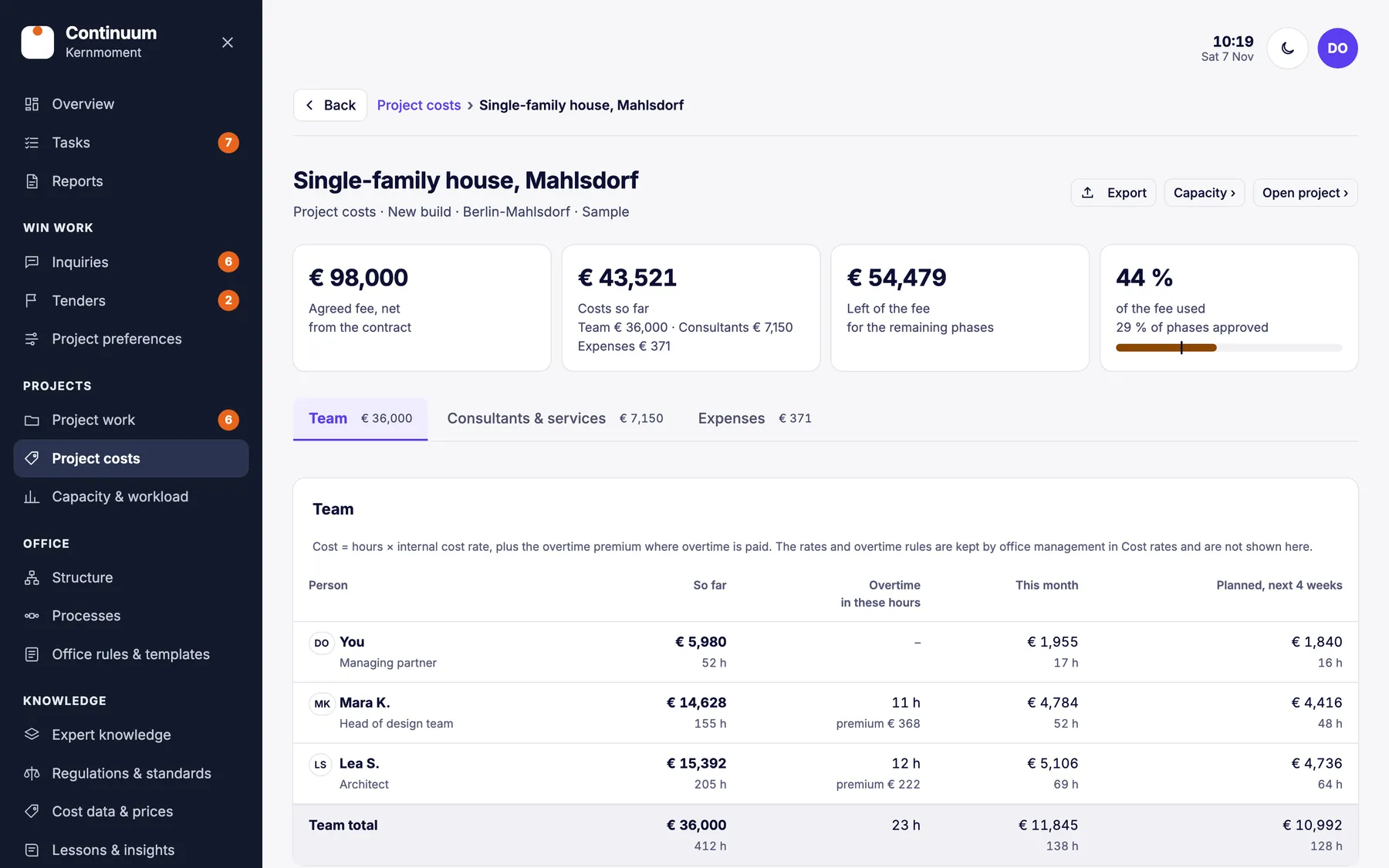
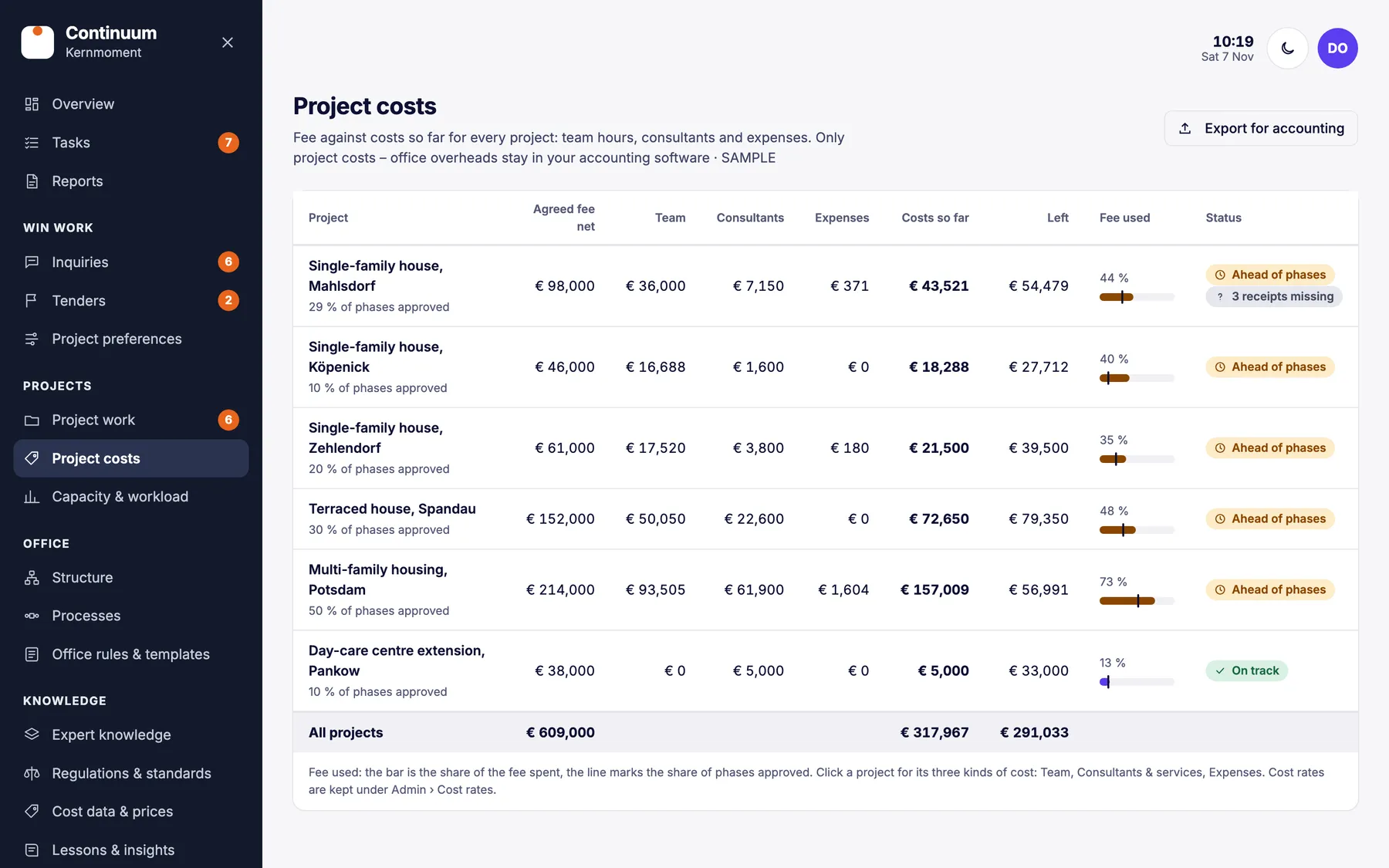
At the same time the platform keeps an eye on fee and costs per project and on your team’s workload. Every stage ends with an approval by the person in charge; open points become tasks, nothing is guessed.
Modular – choose each module on its own
- Module · per work stageWork stages 1–9The technical work of every stage: checks, comparisons, changes with their impacts, approvals and records – with own modules for each work stage.
- Module · cross-phase project managementChanges →Client wishes and late input from consultants: impacts computed by rules, decision sheet with sources.
- Module · cross-phase project managementProject costs →Fee against costs per project – team, consultants, expenses – with an export for accounting.
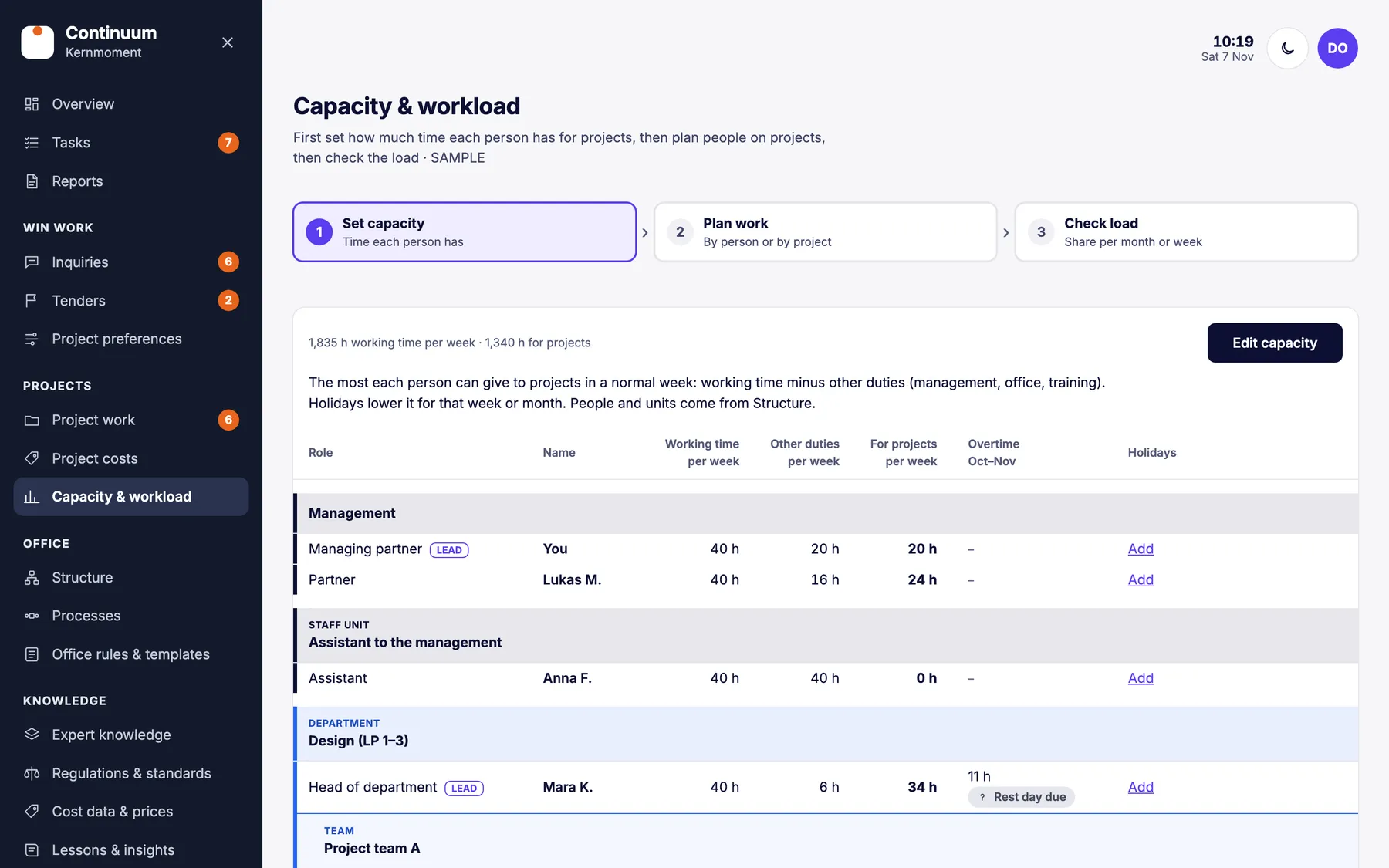
- Module · cross-phase project managementCapacity & workload →Set capacity per person, plan work, check load per month or week.
The logic of the platform
Every step orchestrated – from trigger to decision
In every work stage events are handled the same way: read, confirm, compute, check, decide – in step with your specialist software.
- 1 Your practice Event Stage start, client wish, late input from a consultant
- 2 AI models Read values proposed from email, PDF, drawing or bid
- 3 Your practice Confirm values only then does the change count
- 4 Platform core Change as an overlay the confirmed model stays untouched until you approve
- 5 Tools & data Specialist software & calculation Areas, quantities, costs from CAD, BIM and costing – computed with fixed rules
- 6 Platform core Check consequences & rules Dependencies in the model; federal, state, DIN, office rules passfailunknown → task
- 7 AI models Word the decision sheet every number checked by code, every statement with a source
- 8 Your practice Decide with the client approvedo not pursue
- 9 Platform core Update the project Model, costs, dates and workload; tasks to their owners
- Human in the loop – your practice decides
- Decision with fixed outcomes
- Call of a tool, data or code
Work stages 1–9
The modules for each work stage
Own modules for every stage – what the platform takes on from basic evaluation to aftercare, each on its own page.
- LPH 1Basic evaluation Clarify the basics, set the project up cleanly
- LPH 2Preliminary design Assess variants and wishes with their consequences
- LPH 3Design planning Measure the design against brief and quality
- LPH 4Permit planning Check the permit application before submission
- LPH 5Detailed design Match drawing set and consultants’ input
- LPH 6Preparing the contract award Prepare complete bills of quantities
- LPH 7Assisting with the contract award Make bids comparable, prepare the award
- LPH 8Construction supervision Document the site, keep costs in view
- LPH 9Post-completion services Keep warranty and deadlines in view
The benefit
What changes for your practice
The AI reads and proposes, fixed rules compute and check, your practice approves. For project work this means:
- 1Impacts of changes visible at onceWhat a change affects is computed by rules and presented as a decision sheet with sources – not noticed only on site.
- 2Every stage closed cleanlyApprovals with name and time; open points become tasks with owners.
- 3Fee and costs in stepYou see whether fee use matches the state of the stages – early enough to act.
- 4Workload you can planWho works on what and where bottlenecks loom is visible per team and month.
- 5Fewer island toolsInformation is captured once and is available in every stage and module.
The platform
What it looks like in Kernmoment Continuum
Your decision
Is this right for your practice?
This part of the platform pays off especially if:
- Your practice runs several projects in parallel through different work stages.
- Changes from clients or consultants regularly cost you time.
- Fee, costs and workload sit in separate spreadsheets today.
- Approvals and open points should be traceable for everyone on the team.
Modules can be chosen one by one. Together they form project management across all work stages.
Run projects – for your practice
In the demo you see Kernmoment on simulated projects. Then we talk about how things run in your practice today.
Request a demo